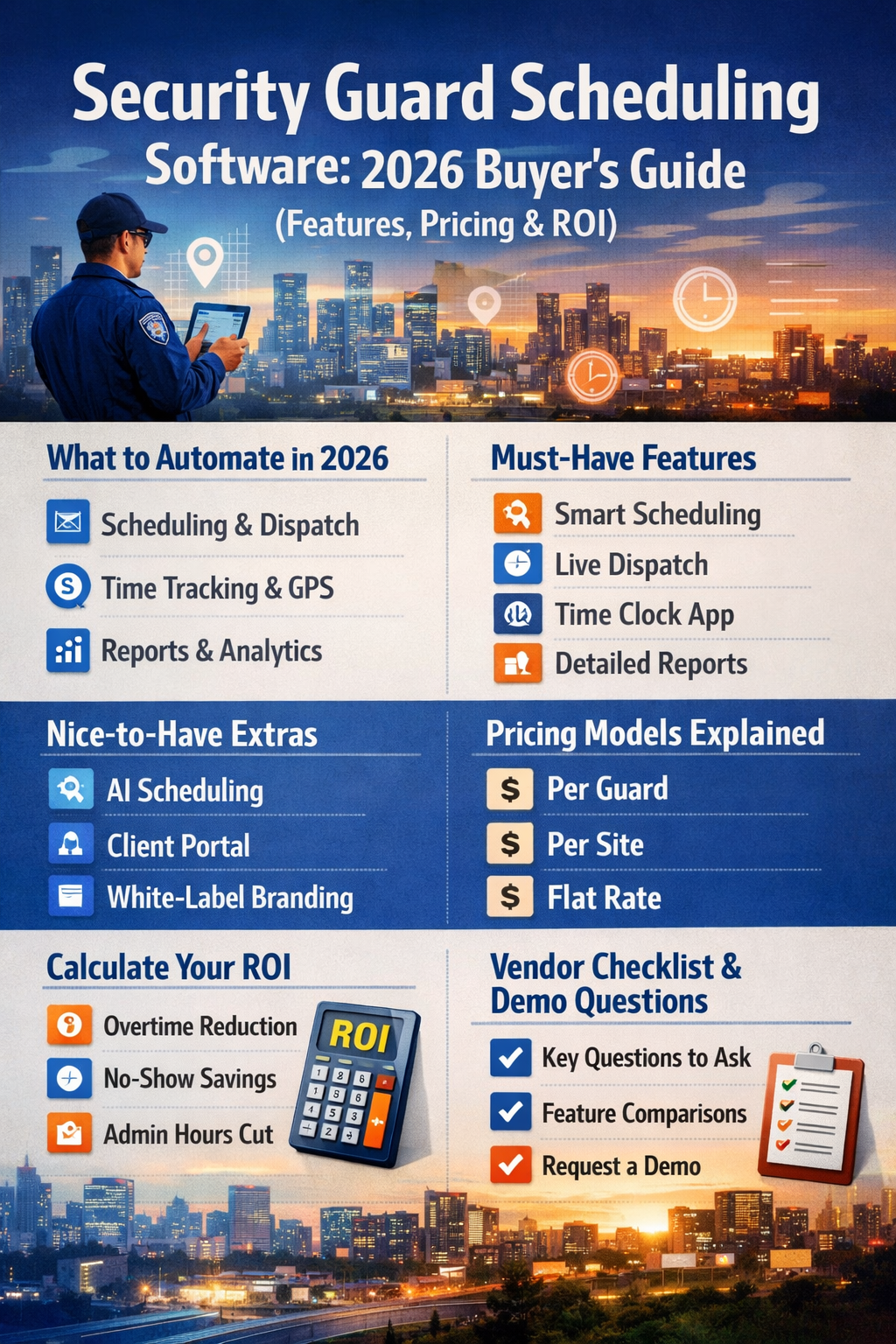
In the rapidly evolving security industry, staying ahead means leveraging the best tools available. As we approach 2026, security guard scheduling software has become an indispensable asset for efficient operations, helping firms manage their workforce, enhance client satisfaction, and ensure compliance. This comprehensive buyer's guide delves into the essential features, transparent pricing models, and the significant return on investment (ROI) of integrating these advanced systems into your security business, ensuring you're equipped for the future.
Whether you're a small local agency or a large enterprise, understanding the nuances of modern guard management software is crucial for optimizing your security workforce and staying competitive.

A modern security guard scheduling software dashboard, showcasing real-time operations and analytics.
The Evolving Landscape of Security Operations in 2026
The security sector is dynamic, facing increasing demands for efficiency, accountability, and adaptability. Manual scheduling and paper-based processes are no longer sustainable, leading to inefficiencies, compliance risks, and higher operational costs. This is where specialized security guard scheduling software steps in, transforming how security companies operate.
Why Modern Security Guard Scheduling Software is Crucial
- Enhanced Efficiency: Automates tedious tasks, freeing up managers for more strategic work.
- Improved Compliance: Ensures adherence to labor laws, certifications, and client-specific requirements.
- Reduced Costs: Minimizes overtime, eliminates no-shows, and optimizes resource allocation.
- Better Communication: Streamlines information flow between guards, supervisors, and clients.
- Data-Driven Decisions: Provides insights into performance, incidents, and operational trends.
Key Challenges Faced by Security Firms Today
Security companies grapple with high turnover, complex shift patterns, varied client demands, and the need for real-time incident response. Without robust guard management software, these challenges can lead to burnout, missed shifts, and compromised security.
Core Features of Essential Security Guard Scheduling Software
To truly be a comprehensive solution, security guard scheduling software must offer a suite of features designed to cover every aspect of security operations. Here are the must-have capabilities:
Advanced Scheduling & Dispatch Capabilities
- Automated Scheduling: Sophisticated algorithms match guards’ skills, certifications, availability, and preferences to specific job requirements, minimizing conflicts and ensuring optimal coverage.
- Drag-and-Drop Interface: Intuitive visual tools for easy schedule adjustments and quick assignment changes.
- Real-time Dispatch: Ensures guards are quickly deployed in response to incidents. Features include instant notifications, incident logging, and communication tools to keep all stakeholders informed.
- Shift Bidding & Open Shift Management: Allows guards to pick up available shifts, increasing flexibility and reducing administrative burden.
Real-time Monitoring & Accountability
- Electronic Time Clock & Geofencing: Accurate logging of guard check-ins and check-outs, preventing discrepancies in payroll and ensuring compliance. Geofencing capabilities ensure guards are on-site when clocking in.
- GPS Tracking & Patrol Monitoring: GPS functionality enhances the safety of your workforce by tracking their location in real-time and provides valuable data for optimizing patrol routes and verifying presence.
- Incident Reporting: Digital forms for immediate incident logging, complete with photo/video attachments and detailed narratives, ensuring rapid response and thorough documentation.
Comprehensive Reporting & Analytics
- Performance Reports: Ongoing assessment of operational efficiency, guard performance, and client satisfaction.
- Compliance & Audit Trails: Detailed logs of all activities, ensuring adherence to regulatory requirements and providing irrefutable evidence for audits.
- Customizable Dashboards: Visualize key metrics like overtime hours, incident rates, and shift coverage at a glance.
Communication & Collaboration Tools
- In-app Messaging: Secure, direct communication channels between guards, supervisors, and dispatchers.
- Announcement Boards: Broadcast important updates, policy changes, or critical alerts to your entire team or specific groups.
- Task Management: Assign and track specific tasks for guards during their shifts, ensuring all duties are completed.

Visual representation of core features like scheduling, GPS tracking, and reporting.
Beyond the Basics: Advanced & Nice-to-Have Features
While core features are essential, advanced functionalities can truly differentiate your operations and provide a competitive edge. Look for security workforce management software that offers these capabilities:
Leveraging AI for Predictive Scheduling
Advanced algorithms can forecast staffing needs based on historical data, upcoming events, and dynamic conditions, automatically adjusting schedules to optimize coverage and reduce costs. This proactive approach to automated security scheduling minimizes last-minute scrambling and improves resource allocation.
Enhancing Client Relationships with Portals
A dedicated client portal allows clients to view schedules, submit requests, approve timesheets, and communicate directly with your team. This enhances transparency, builds trust, and significantly improves client satisfaction.
Customization and Branding with White-Label Solutions
Offering customizable software interfaces that can be branded to reflect your business helps distinguish your service in a competitive market. White-label options allow you to present the software as your own, strengthening your brand identity.
Mobile Accessibility for Guards and Managers
A robust mobile app is critical for guards to access schedules, clock in/out, submit reports, and communicate on the go. Managers also benefit from mobile access for real-time oversight and urgent adjustments.
Integrations with Existing Security Systems
Seamless integration with other systems like payroll, HR, access control, and integrated security platforms streamlines data flow and eliminates manual data entry, creating a unified operational ecosystem. This is a key factor when considering a new security technology investment.
Understanding Security Guard Scheduling Software Pricing Models
Choosing the right security guard scheduling software involves understanding the various pricing structures. Each model caters to different business sizes and operational needs.
Per Guard Model: Ideal for Growing Teams
Charges are based on the number of active guards using the system. This model is often preferred by small to medium-sized enterprises (SMEs) as it scales with their workforce, making costs predictable as they grow.
Per Site Model: Best for Multi-Location Operations
This model charges based on the number of locations or client sites managed, rather than individual guards. It's suitable for companies with multiple sites but potentially fewer guards per site, offering cost efficiency for distributed operations.
Flat Rate Model: Predictability for Large Enterprises
A flat monthly or yearly fee, regardless of guard or site count. This model is recommended for large organizations with stable, predictable costs, providing unlimited usage within the subscription terms.
Factors Influencing Security Guard Software Cost
Beyond the basic models, costs can vary based on:
- Feature Set: Advanced features like AI scheduling or extensive integrations often come at a premium.
- Support Level: Premium support, dedicated account managers, or 24/7 assistance can increase costs.
- Customization: Tailored solutions or extensive branding may incur additional fees.
- Contract Length: Annual contracts often offer better rates than month-to-month subscriptions.
Calculating Your Return on Investment (ROI) for Guard Management Software
Investing in the right security guard scheduling software can offer substantial returns. Quantifying these benefits is crucial for justifying the expenditure and demonstrating its value.
Quantifying Savings: Overtime, No-Shows, and Administrative Efficiency
- Reduced Overtime: Optimized scheduling minimizes unnecessary overtime hours.
- Eliminated No-Shows: Automated reminders and easy shift swaps drastically reduce missed shifts.
- Cut Administrative Hours: Automating scheduling, payroll prep, and reporting frees up significant administrative time, allowing staff to focus on higher-value tasks.
- Improved Compliance: Avoiding fines and legal issues associated with labor law violations.
Improving Operational Efficiency and Client Satisfaction
Beyond direct cost savings, the software enhances operational fluidity, leading to faster response times, better guard deployment, and ultimately, higher client satisfaction and retention. This can lead to new business opportunities and a stronger reputation in the market.
Long-term Benefits and Scalability
As your business grows, a scalable software solution ensures that your operations remain efficient without needing to overhaul your systems. This future-proofs your investment and supports sustainable growth.
Choosing the Best Security Guard Scheduling Software: A Vendor Checklist
When evaluating potential security guard scheduling software vendors, comprehensive due diligence is crucial. Here’s a checklist and some critical demo questions to ask to ensure you pick the best fit for your security operations.
Key Questions to Ask During a Software Demo
- Does the system integrate smoothly with existing hardware and software (e.g., payroll, HR, access control)?
- What kind of customer support does the vendor offer (e.g., 24/7, phone, email, dedicated account manager)?
- Can the software scale according to business growth, from a few guards to hundreds or thousands?
- How customizable are the reporting and analytics features to meet our specific operational needs?
- What are the security protocols in place to protect sensitive client and employee data?
- Is the mobile app user-friendly for guards of all tech proficiencies?
Assessing Scalability and Future-Proofing
Ensure the software can grow with your company. A solution that can handle increasing numbers of guards, sites, and complex scheduling demands will prevent costly migrations down the line. Inquire about their roadmap for new features and updates.
Support and Training: A Critical Consideration
Excellent customer support and comprehensive training resources are vital for successful adoption. Ask about onboarding processes, ongoing support channels, and available training materials for both administrators and guards.
Data Security and Compliance
With sensitive information being handled, inquire about data encryption, compliance certifications (e.g., GDPR, HIPAA if applicable), and disaster recovery plans. Understanding how the software handles geofencing data and personal information is also key.
Implementing Your New Security Guard Scheduling System
A successful implementation goes beyond just purchasing the software. It requires careful planning and execution to ensure smooth adoption and maximum benefit.
Planning and Phased Rollout
Consider a phased rollout, starting with a pilot group, to identify and address any issues before a full deployment. Define clear objectives and success metrics for each phase.
Training Your Team for Success
Provide comprehensive training for all users, from administrators to individual guards. Hands-on sessions, user manuals, and accessible support resources will ensure your team is confident and proficient with the new automated security scheduling system.
Overcoming Common Implementation Challenges
Be prepared for potential resistance to change. Communicate the benefits clearly, involve key stakeholders in the decision-making process, and provide continuous support to ease the transition.
Frequently Asked Questions (FAQs) about Security Guard Scheduling Software
What are the primary benefits of automated security scheduling?
Automated security scheduling significantly reduces administrative time, minimizes human error, ensures optimal staffing levels, improves compliance with labor laws, and enhances overall operational efficiency and responsiveness.
How does security guard software improve compliance?
It helps improve compliance by accurately tracking work hours, ensuring guards meet required certifications for specific assignments, maintaining detailed audit trails of activities, and providing tools to adhere to labor laws and client contractual obligations.
Can small security companies benefit from this software?
Absolutely. Even small security companies can gain immense benefits from security guard scheduling software by streamlining operations, reducing manual errors, improving communication, and presenting a more professional image to clients, often at an affordable 'per guard' pricing model.
Is real-time GPS tracking necessary for guard management?
While not always mandatory, real-time GPS tracking is highly recommended. It enhances guard safety, provides proof of presence, optimizes patrol routes, and offers valuable data for incident response and operational analysis. For more details, read our blog on Benefits of Real-time GPS Tracking for Security Guards.
To conclude, choosing the right security guard scheduling software is pivotal for enhancing your operations in 2026 and beyond. Ensure you consider all aspects—from essential features and transparent pricing to potential ROI and implementation strategies—before making a decision. With the right tool, your security operations can be more streamlined, responsive, and robust than ever, positioning your business for unparalleled success.
Ready to transform your security operations? Request a Free Demo Today! Discover how our security guard scheduling software can optimize your workforce, reduce costs, and elevate client satisfaction.